
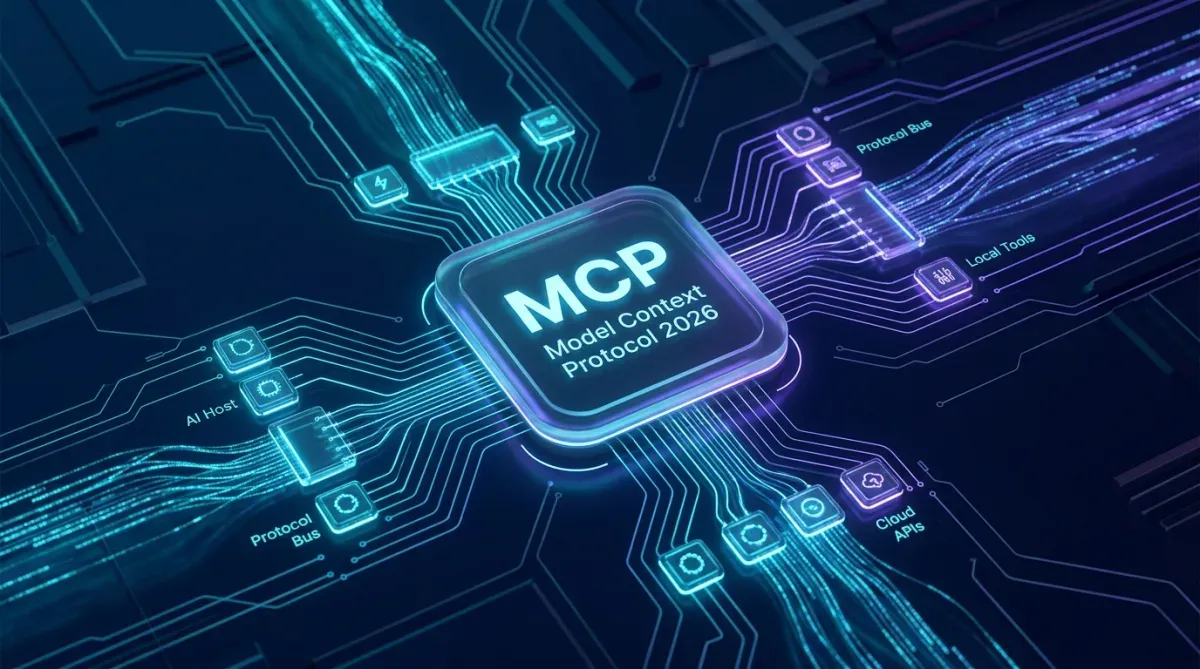
As generative artificial intelligence transitions from conversational text boxes into autonomous agentic execution, a fundamental architectural bottleneck has emerged: context fragmentation. For years, connecting Large Language Models (LLMs) to production databases, enterprise REST APIs, Git repositories, and local development environments required brittle, point-to-point custom integrations and fragmented function-calling schemas. Enter the Model Context Protocol (MCP)—an open standard championed by Anthropic and rapidly adopted by Cursor, Claude Desktop, Antigravity, and Zed, hailed by senior engineers as "the universal USB-C standard for AI applications". In this comprehensive 2026 engineering guide from JMD WORLD, we break down MCP core primitives, dissect communication transports, build production-ready Python and TypeScript MCP servers, and establish zero-trust security postures for AI agents.
1. The Problem with Legacy Function Calling
Historically, developers wired LLMs to external systems using proprietary JSON schemas (OpenAI Function Calling, Anthropic Tool Use, or LangChain Tool abstractions). While functional for simple lookups, this legacy paradigm suffered from three critical systemic limitations:
- Client-Side Vendor Lock-in: If you wrote a custom tool definition for OpenAI's schema, migrating to Anthropic Claude or local open-weights models (like DeepSeek-R1 or Llama 3) required manual schema translation and runtime refactoring.
- Uncontrolled Context Bloat: Hardcoding dozens of large tool schemas directly into the LLM system prompt consumed thousands of tokens before the user even entered a prompt, severely degrading inference speed and exploding token bills.
- Security & Sandboxing Vulnerabilities: Legacy function execution often ran in the same memory process as the AI orchestration engine, risking arbitrary code execution and unmonitored database access without strict credential boundaries.
2. MCP High-Level Architecture (Hosts, Clients & Servers)
The Model Context Protocol establishes a clean client-server architecture built on top of standard JSON-RPC 2.0 messages:
| Component | Role in Ecosystem | Real-World Examples |
|---|---|---|
| MCP Host | The user-facing AI interface orchestrating context and models. | Claude Desktop, Cursor IDE, Antigravity, Zed |
| MCP Client | The protocol connector inside the host managing 1:1 connections with servers. | Internal MCP Client Protocol Manager |
| MCP Server | Isolated lightweight process exposing Tools, Resources, and Prompts. | SQLite DB Server, GitHub API Server, Play Store Server |
3. The Three Fundamental MCP Primitives
An MCP server communicates data to an AI model through three distinct, standardized primitives:
1. Tools (Model-Controlled Executables)
Tools are executable functions that an LLM can decide to invoke to take action in the real world (e.g., executing a SQL query, sending an SMS, building an APK, or fetching an API). Tools require user or host approval before execution.
2. Resources (Application-Controlled Data Streams)
Resources represent file-like read-only data that provide context to the model (e.g., application log files, database schemas, API documentation, or source code files). They are identified by standard URIs (such as database://users/schema or file:///logs/access.log).
3. Prompts (User-Controlled Reusable Templates)
Prompts are predefined, parameter-driven prompt templates exposed by the server to guide the user in performing standardized workflows (e.g., "Analyze Bug Report" or "Audit Database Indexing").
4. Step-by-Step Tutorial: Building a Custom Database MCP Server in Python
Let us construct a production-ready MCP server using Python and the official FastMCP framework that exposes a secure, read-only query interface for SQLite or MySQL databases.
Step 1: Install Prerequisites
pip install mcp[cli] pydanticStep 2: Server Implementation (db_mcp_server.py)
from mcp.server.fastmcp import FastMCP
import sqlite3
import json

# Initialize MCP Server with official metadata
mcp = FastMCP("JMD-Database-Auditor", dependencies=["sqlite3"])

DB_PATH = "production_analytics.sqlite"

def get_connection():
    conn = sqlite3.connect(DB_PATH)
    conn.row_factory = sqlite3.Row
    return conn

@mcp.tool()
def get_table_schema(table_name: str) -> str:
    """Returns the SQL schema structure for a given database table."""
    conn = get_connection()
    cursor = conn.cursor()
    cursor.execute(f"PRAGMA table_info({table_name});")
    rows = cursor.fetchall()
    conn.close()

    if not rows:
        return f"Table '{table_name}' does not exist."

    schema = [{"column": row["name"], "type": row["type"]} for row in rows]
    return json.dumps(schema, indent=2)

@mcp.tool()
def execute_safe_query(query: str) -> str:
    """Executes a strictly READ-ONLY SELECT SQL query and returns results."""
    clean_query = query.strip().upper()

    # Enforce read-only safety guardrails
    if not clean_query.startswith("SELECT"):
        return "Security Violation: Only SELECT queries are permitted on this MCP channel."

    forbidden = ["DROP", "DELETE", "UPDATE", "INSERT", "ALTER", "TRUNCATE"]
    for word in forbidden:
        if f" {word} " in f" {clean_query} ":
            return f"Security Violation: '{word}' is strictly blocked."

    try:
        conn = get_connection()
        cursor = conn.cursor()
        cursor.execute(query)
        rows = [dict(row) for row in cursor.fetchmany(50)] # Cap at 50 rows
        conn.close()
        return json.dumps(rows, default=str, indent=2)
    except Exception as e:
        return f"SQL Error: {str(e)}"

@mcp.resource("schema://tables")
def list_available_tables() -> str:
    """Resource returning a complete list of all database tables."""
    conn = get_connection()
    cursor = conn.cursor()
    cursor.execute("SELECT name FROM sqlite_master WHERE type='table';")
    tables = [row["name"] for row in cursor.fetchall()]
    conn.close()
    return "\n".join(tables)

if __name__ == "__main__":
    mcp.run(transport="stdio")
5. Connecting Your MCP Server to Claude Desktop & Cursor
To connect the Python server above to Claude Desktop or Cursor:
- Open your Claude Desktop configuration file:
- Windows:
%APPDATA%\Claude\claude_desktop_config.json - macOS:
~/Library/Application Support/Claude/claude_desktop_config.json
- Windows:
- Add your server under the
mcpServerskey:
{
  "mcpServers": {
    "jmd-database": {
      "command": "python",
      "args": ["C:/workspace/db_mcp_server.py"]
    }
  }
}
Save the file and restart Claude Desktop. In the chat box, you will notice a new hammer icon revealing your custom database tools! You can now instruct the AI: "Check the users table schema and tell me how many active accounts signed up this week", and the model will autonomously query your local database via MCP with zero token overhead.
6. Communication Transports: stdio vs. SSE
MCP supports two primary transport mechanisms:
- Standard I/O (
stdio): The host launches the server as a local child process and communicates via standard input/output. This is extremely fast, highly secure, and ideal for desktop tools, local files, and command-line utilities. - Server-Sent Events (
SSEover HTTP): The server runs as a standalone network service, streaming events over HTTP. This enables cloud-hosted MCP servers, team-wide centralized databases, and distributed microservices.
7. Enterprise Security & Zero-Trust Architecture
Giving autonomous AI agents access to production systems requires strict defensive programming:
- Principle of Least Privilege: Expose only the minimum necessary tools. Never provide a generic "execute bash command" or "unrestricted SQL" tool to an autonomous agent.
- Human-in-the-Loop Confirmation: For destructive operations (e.g., sending emails, executing payments, or updating database records), enforce explicit user confirmation dialogues before execution.
- Input Validation via Pydantic: Always validate parameters using strict types and regex patterns to defend against prompt injection and unauthorized file traversal attacks.
Conclusion: The Future of Modular AI
The Model Context Protocol represents the missing connective tissue between raw reasoning engines and operational enterprise software. By separating context provision from model training, MCP allows engineering teams to build modular, future-proof AI agents that remain adaptable across any LLM provider. At JMD WORLD, we integrate MCP across our internal publishing pipelines, Android verification workflows, and database telemetry, engineering resilient, next-generation digital ecosystems.

Suggested Engineering Guides
View All Guides (22+)
Comments (0)
No comments yet. Share your thoughts below!
Leave a Comment
Share your thoughts or questions. Your email address remains private.