
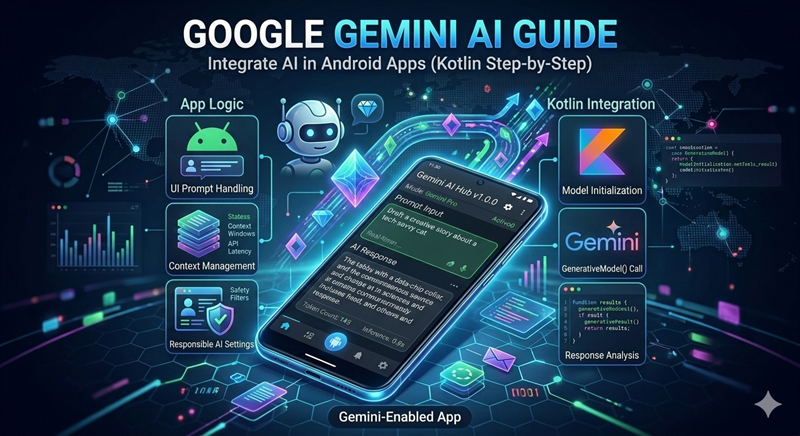
How to Integrate Google Gemini AI in Android Apps using Kotlin: A Step-by-Step Guide 🤖💎
Introduction: The Future of Smart Apps 🌐
2026 mein apps sirf tools nahi, balki intelligent assistants ban chuke hain. Agar aap apne Android app mein Artificial Intelligence integrate karte hain, toh wo user experience ko 10x improve kar sakta hai. Aaj JMD WORLD par hum sikhenge ki kaise aap Google ke sabse powerful AI model—Gemini—ko apne Kotlin projects mein use kar sakte hain.
1. Why Use Gemini API in Your Apps? 🚀
Gemini API developers ko allow karta hai ki wo text generation, image recognition, aur language translation jaise complex features bina heavy coding ke add kar sakein.
-
Fast Performance: Server-side processing se app hang nahi hoti.
-
Smart Logic: Custom chatbots aur AI Resume builders (jaise hamara AiResume app) banane ke liye perfect hai.
2. Prerequisites (Kya-Kya Chahiye?) 🛠️
-
Android Studio: Latest version (Ladybug ya higher).
-
Gemini API Key: Google AI Studio se apni unique API key generate karein.
-
Kotlin Knowledge: Basics of Coroutines aur Retrofit/Ktor.
3. Implementation Steps (Short & Simple) ⚙️
-
Add Dependency: Apne
build.gradlefile mein Google AI SDK add karein. -
Initialize Model:
GenerativeModelclass ka use karke Gemini model ko setup karein. -
Generate Content: Ek simple function likhein jo user input ko AI tak bheje aur response receive kare.
Pro Tip: Hamesha API key ko
local.propertiesmein chhupa kar rakhein taaki koi aur ise use na kar sake. Security first! 🛡️
4. Real-World Use Case: JMD WORLD Perspective 💎
Jaise humne AiResume By JMD WORLD mein Gemini API ka use kiya hai perfect resumes generate karne ke liye, waise hi aap iska use karke:
-
Fitness Coach AI bana sakte hain.
-
Automatic Code Reviewer tool bana sakte hain.
-
Personal Finance Assistant create kar sakte hain.
Conclusion: Be an AI-First Developer 🎓
AI integration ab ek luxury nahi, zaroorat hai. In skills ko seekh kar aap market mein baaki developers se bahut aage nikal sakte hain.
👑 Official Branding & Support
✨ Developed & Managed By: MOHIT KUMAAR (Founder, JMD WORLD) Android App & Web Development Expert Platform
📧 Business Inquiry: info@jmdworld.in
📺 YouTube Channel: JMD WORLD OFFICIAL
📸 Instagram: @digitalcreatermohit
🌐 Official Website: https://jmdworld.in/
🇮🇳 Made with ❤️ in India | JMD WORLD
