
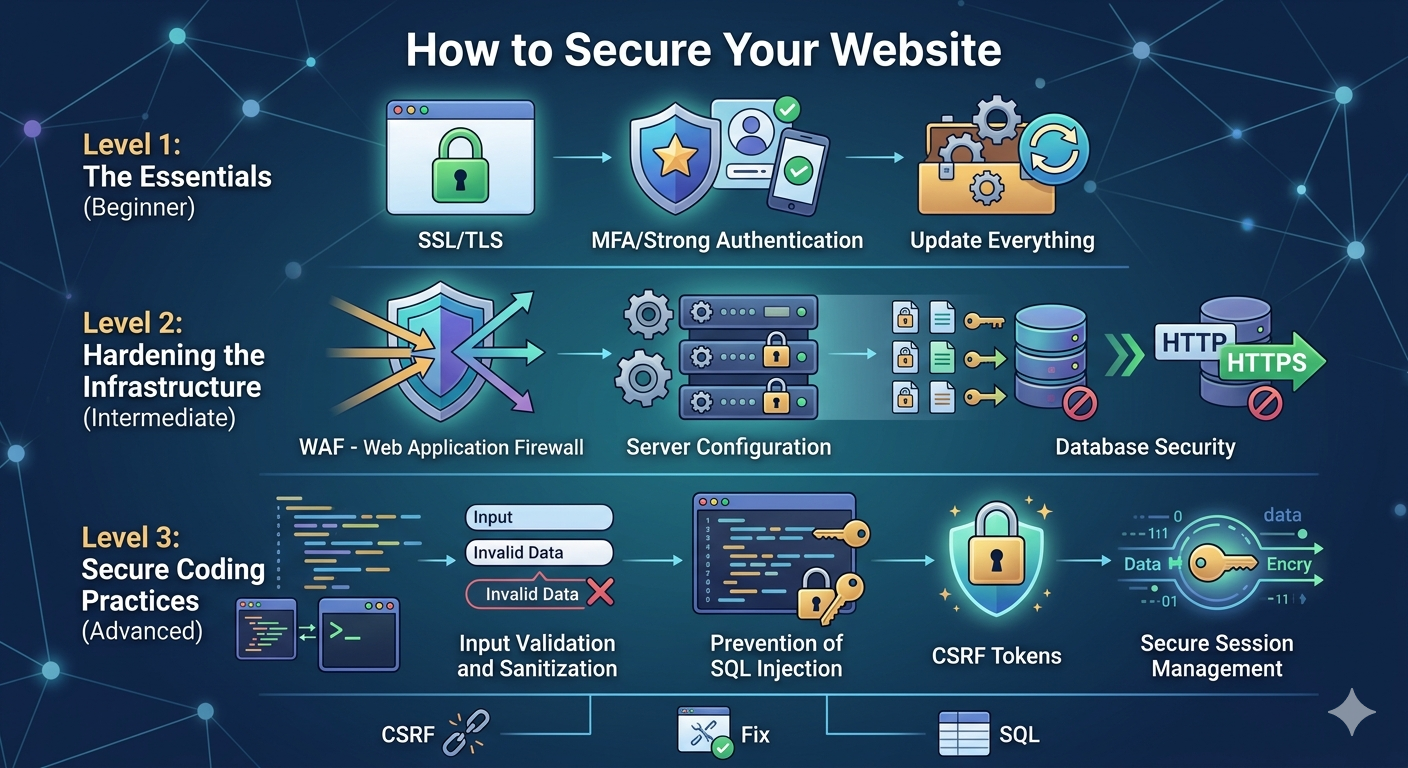
🔐 How to Secure Your Website (Complete Beginner to Advanced Guide)
Website security is one of the most important parts of running any online platform. Whether you have a blog, business site, or e-commerce store, a single security issue can lead to data loss, hacking, SEO damage, or even complete website shutdown.
In this guide, we will understand step-by-step how to secure your website properly in 2026 using simple and practical methods.
🌐 1. Use Secure Hosting (Very Important)
Your website security starts with hosting. If your server is weak, your site is always at risk.
👉 Always choose:
- SSL support
- Firewall protection
- Regular backups
- Malware scanning
If you are using shared hosting, make sure it is from a trusted provider and not a cheap unknown server.
🔒 2. Install SSL Certificate (HTTPS)
SSL encrypts data between your website and users.
Without SSL:
❌ “Not Secure” warning appears
❌ Google ranking drops
❌ User trust decreases
With SSL:
✅ URL becomes HTTPS
✅ Data is encrypted
✅ Better SEO ranking
Most hosting providers give free SSL today. You can also enable it via Cloudflare.
☁️ 3. Use Cloudflare Security Layer
A powerful way to protect your website is using a CDN and firewall.
Cloudflare helps you:
- Block hackers and bots
- Protect from DDoS attacks
- Improve loading speed
- Hide real server IP
👉 Enable:
- Firewall rules
- Bot protection
- “Under Attack Mode” if needed
🔑 4. Strong Login Security
Weak admin login is the biggest reason websites get hacked.
Follow these rules:
- Use strong password (mix of letters, numbers, symbols)
- Change default “admin” username
- Enable 2-factor authentication (2FA)
- Limit login attempts
Never use simple passwords like “123456” or “admin123”.
🧩 5. Keep Your CMS Updated
If you are using WordPress or any CMS:
WordPress
Always:
- Update core files
- Update plugins
- Remove unused themes/plugins
Old plugins often contain security holes that hackers exploit.
🧪 6. Secure Website with Google Tools
Use monitoring tools to track your site health:
Google Search Console
It helps you:
- Detect malware issues
- Monitor indexing problems
- Track security alerts
- Fix hacked URLs
Also submit your sitemap regularly for better monitoring.
🧱 7. Install Security Plugins / Firewall
If you are on WordPress or CMS platforms, install security plugins like:
- Web application firewall (WAF)
- Malware scanner
- Login protection tools
These act like a shield between your site and attackers.
💾 8. Take Regular Backups
Backup is your emergency recovery system.
You should:
- Backup daily or weekly
- Store backups in cloud (Google Drive, Dropbox)
- Keep multiple versions
If your site gets hacked, you can restore it instantly.
🚫 9. Protect Against Malware & Spam
Hackers often inject:
- Spam links
- Malware scripts
- Hidden redirects
To prevent this:
- Scan website regularly
- Avoid unknown plugins/themes
- Use firewall protection
🧠 10. Secure Admin Panel Access
Your admin panel is the main target.
Improve security by:
- Changing login URL
- Using CAPTCHA
- Restricting IP access (advanced)
- Logging out inactive sessions
📊 11. Monitor Website Activity
Keep track of:
- Login attempts
- File changes
- Traffic spikes
If something unusual happens, investigate immediately.
🚀 Final Summary
To secure your website properly:
✔ Use SSL (HTTPS)
✔ Use Cloudflare protection
✔ Strong passwords + 2FA
✔ Update CMS regularly
✔ Take backups
✔ Monitor with Google Search Console
✔ Use security plugins
🔥 Conclusion
Website security is not a one-time setup — it is an ongoing process. If you regularly update, monitor, and protect your site using the steps above, your website will stay safe from most attacks.
